

Set up your tax details
Two settings drive every tax figure Metrifly produces: your tax entity and your lot allocation method. Get these right before you rely on your capital gains or myTax numbers. By the end of this, both are set and your reports will calculate correctly.
Before you start
Section titled “Before you start”- Select the single portfolio you’re setting up (not a group).
- Know which tax entity the portfolio belongs to — Individual, Trust, Company, or SMSF.
Choose your tax entity
Section titled “Choose your tax entity”Your entity type decides which CGT rules and discounts Metrifly applies:
| Entity | CGT discount on gains held over 12 months | Typical use |
|---|---|---|
| Individual | 50% on eligible gains | Personal brokerage |
| Trust | 50% at the trust level (may flow to beneficiaries) | Family trusts |
| Company | None | Company accounts |
| SMSF | 33⅓% in accumulation phase | Self-managed super |
To set it:
- Go to Manage Portfolios, open your portfolio, and click Settings.
- Open the Tax Settings tab.
- Choose your Entity Type.
- Click Save.
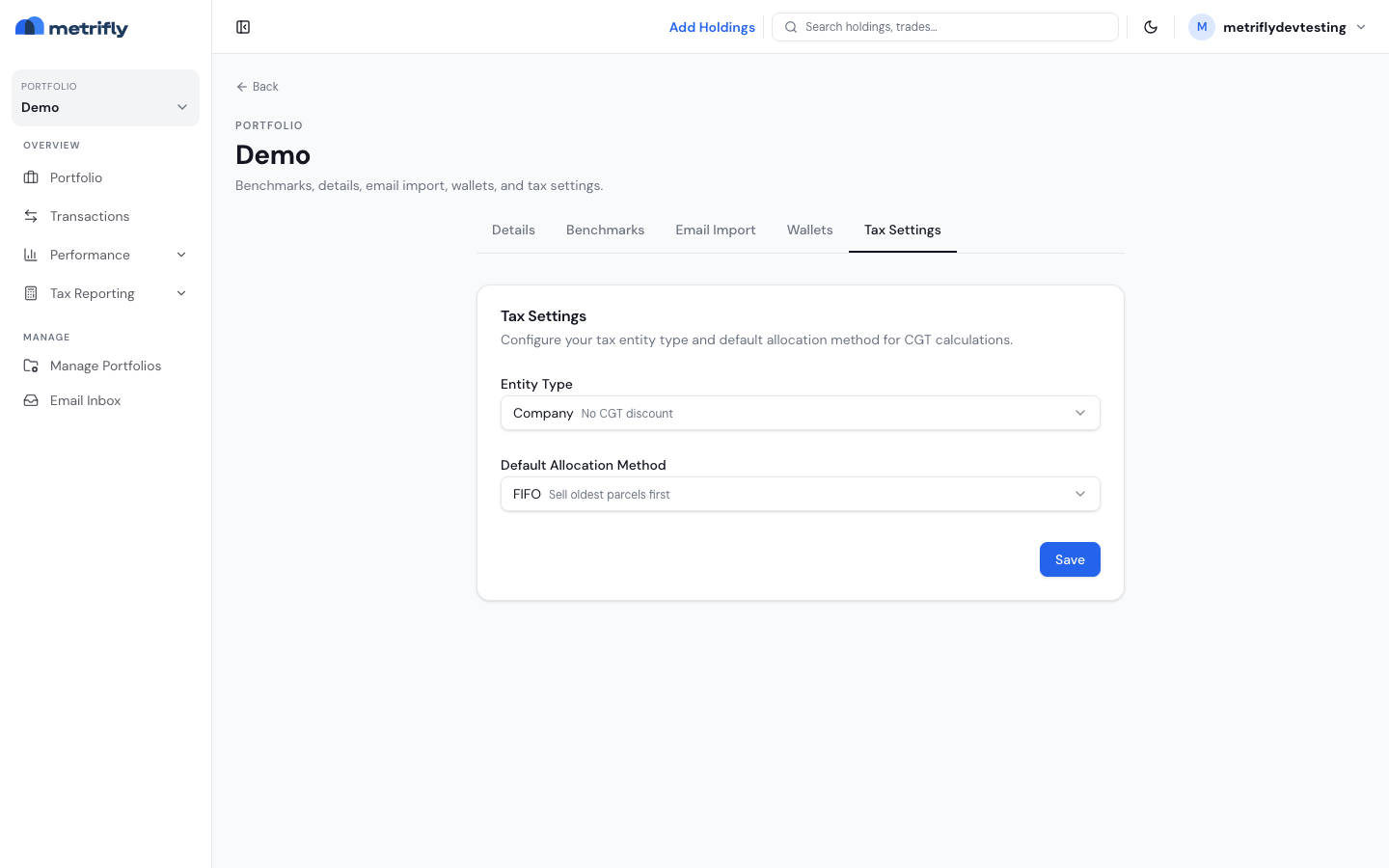
Changing your entity type recalculates every tax year in Metrifly — that’s expected, since the discount rules change with the entity. You can also set a Default Allocation Method on this same tab.
Choose how sales are allocated
Section titled “Choose how sales are allocated”When you sell, Metrifly needs to know which parcels you sold — that’s the allocation method. It changes your gain, so it matters.
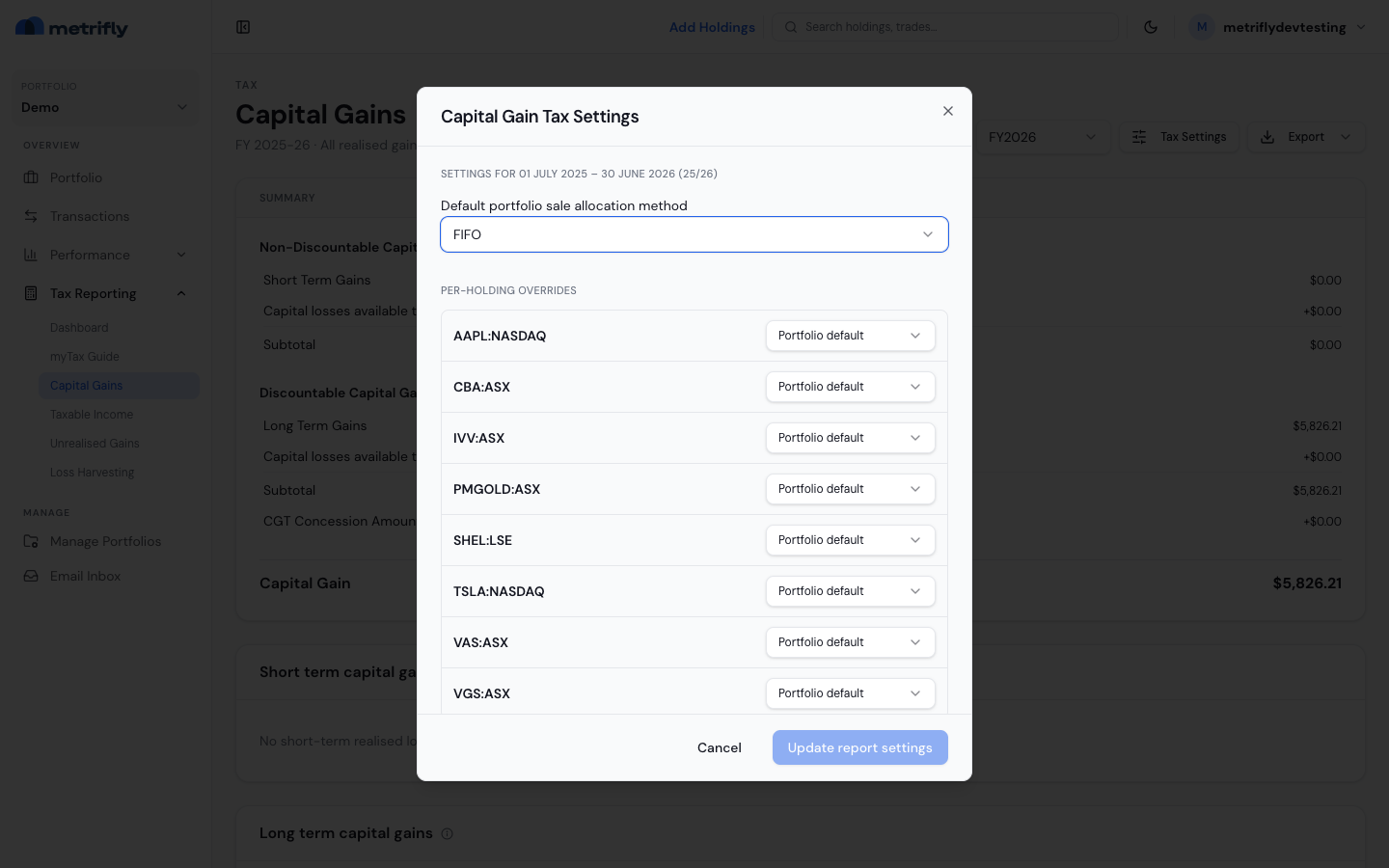
- On any tax page, click Tax settings in the header to open the Capital Gain Tax Settings modal.
- Check the period heading is the year you want (e.g. FY2025).
- Set the Default portfolio sale allocation method.
- Optionally override the method for individual holdings.
- Click Update report settings.
| Method | What it does |
|---|---|
| FIFO | Sells your oldest parcels first (the common default) |
| LIFO | Sells your newest parcels first |
| Minimise CGT | Sells the parcels that produce the lowest tax, including the discount |
| Maximise gain / Minimise gain | Specialist planning options |
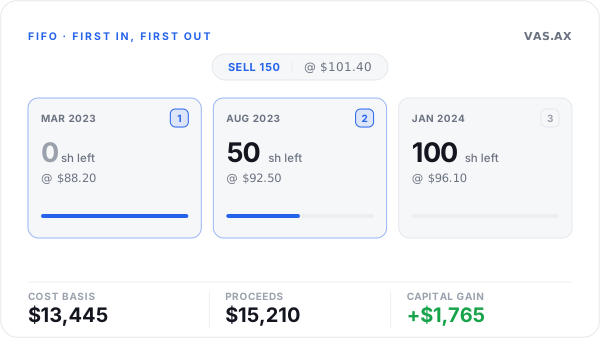
Under FIFO, a sale is matched to your earliest parcels first.
If you chose specific lots when you recorded a sale, those override the default for that one sale.
Good to know
Section titled “Good to know”- Financial year is always 1 July – 30 June. Switch years with the FY dropdown in any tax page header.
- Reporting currency is your portfolio’s currency, fixed when the portfolio was created.
- By situation:
- Single broker, individual — Individual + FIFO is the usual starting point unless your accountant says otherwise.
- ETFs and managed funds — reconcile your taxable income report and check your historical cost basis for AMIT adjustments.
- Company or trust — set the entity type and export for your accountant; the myTax report alone usually isn’t enough.
Troubleshooting
Section titled “Troubleshooting”| Problem | Fix |
|---|---|
| There’s no Tax settings button | Select a single portfolio, not a group. |
| Your overrides didn’t take | Click Update report settings to save them. |
| Your gains changed after an edit | That’s expected — reports recalculate whenever a setting changes. |