

How dividend tracking works
Metrifly tracks dividends in two steps: detection and confirmation. DRP adds a linked reinvestment lifecycle so income and share acquisition stay separate.
Detection lifecycle
Section titled “Detection lifecycle”- Announced: provider has declared a dividend.
- Unconfirmed: ex-date passed and you held the security.
- Paid: you confirmed the dividend.
Only confirmed dividends count in portfolio income and tax reports.
DRP-linked lifecycle
Section titled “DRP-linked lifecycle”When DRP applies, Metrifly stores:
- a Dividend income row
- a linked Dividend Reinvestment row
The reinvestment row can be provisional until reviewed. It only affects share quantity and cost base after confirmation.
Dividends page surfaces
Section titled “Dividends page surfaces”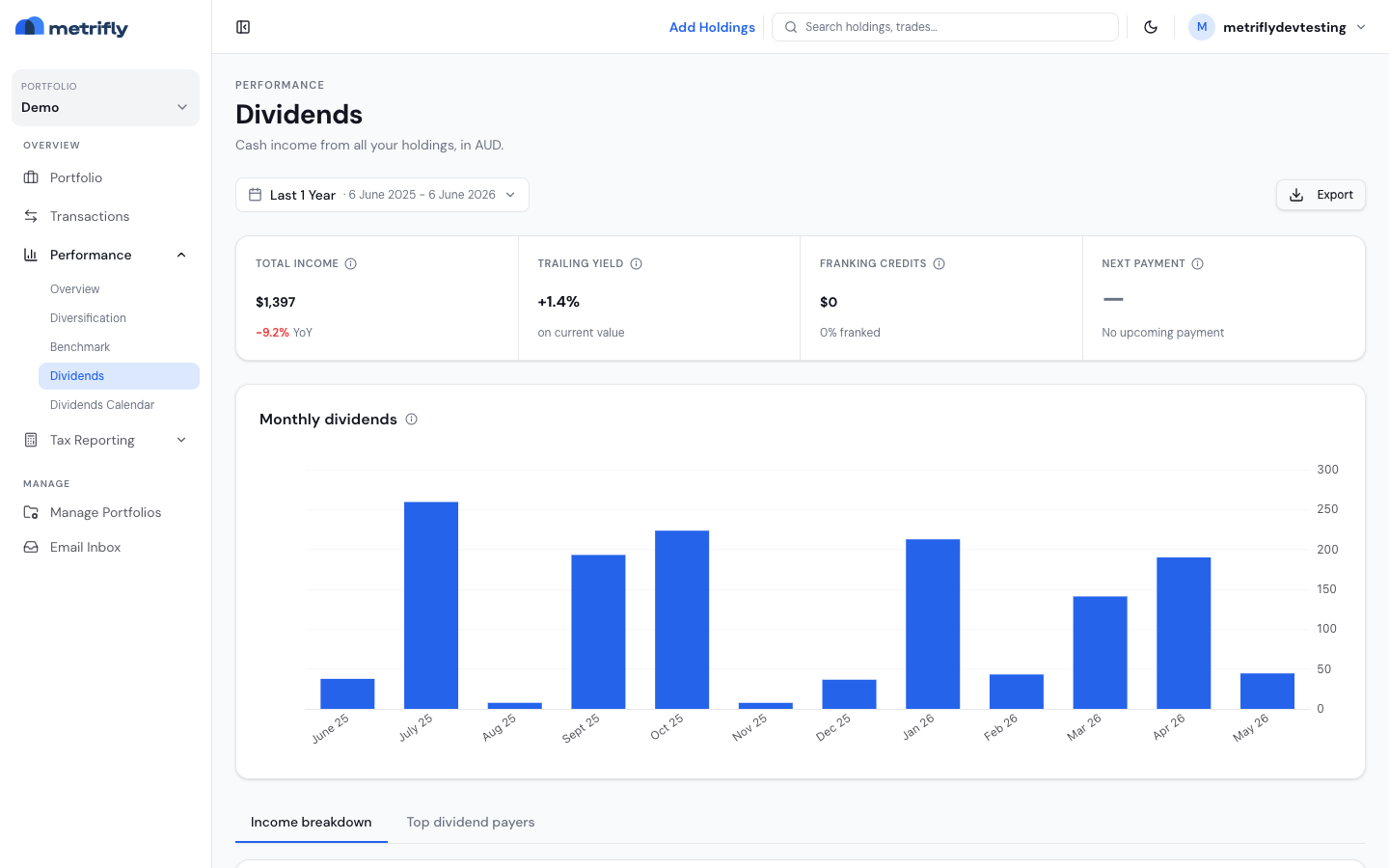
On Performance → Dividends:
- Summary strip: income, yield, franking, next payment
- Income breakdown: grouped event table with unconfirmed filter
- Automatic DRP review queue: provisional DRP and cash-conversion items
- Top dividend payers: trailing income leaders
Why DRP rows are reviewed separately
Section titled “Why DRP rows are reviewed separately”DRP confirmation may depend on:
- shares allotted and issue price
- participation mode (full/partial)
- rounding policy
- residual balance brought forward/carried forward
Because those values change acquisition cost base, DRP items are intentionally routed to review instead of blind bulk confirmation.
Bulk confirmation behavior
Section titled “Bulk confirmation behavior”Bulk confirm is cash-only and guarded. If a dividend is part of a DRP path, it is classified as requires review and left unconfirmed.