

Manage your subscription
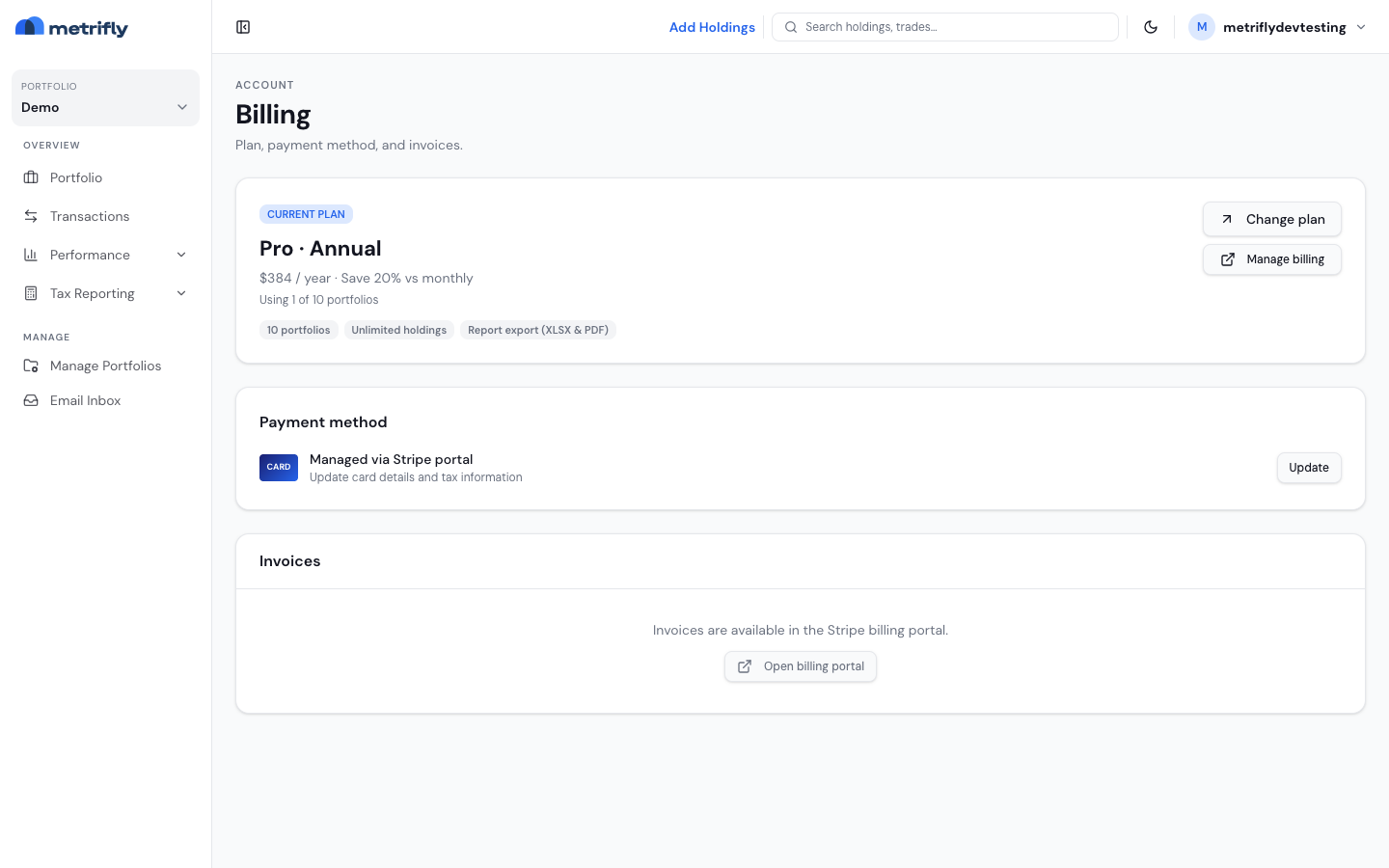
Your Billing page shows your current plan, price, renewal date, and any pending cancellation. How you manage a paid subscription depends on where you bought it:
- Web subscription — Metrifly uses the Stripe Customer Portal for payment details, invoices, and cancellation.
- Apple-managed subscription — use the Apple App Store subscription controls. Metrifly does not show Stripe billing controls or in-app plan changes for these subscriptions.
Open Billing
Section titled “Open Billing”Go to the account menu → Billing. You’ll see:
- Your current plan (Free or paid, monthly or annual)
- The renewal or cancellation date and price
- A summary of your features
- Upgrade / Change plan for a Free or Stripe-managed plan, which opens the pricing page
- Manage billing for a Stripe-managed paid plan, which opens the Stripe portal
On the Free plan there’s no payment method — Upgrade opens pricing.
Change a web subscription
Section titled “Change a web subscription”For a Stripe-managed subscription, open Billing → Change plan (or the pricing page), pick the plan you want, and confirm:
- Upgrades take effect immediately. You’ll go through secure checkout and pay the new plan’s price; unused time on your current plan is credited toward future invoices.
- Downgrades take effect at the end of your current billing period — you keep your current features until then, with no charge today.
A confirmation step shows exactly what will happen before you commit.
Use the Stripe Customer Portal
Section titled “Use the Stripe Customer Portal”For a Stripe-managed subscription, Manage billing opens Stripe, where you can:
- Update your payment method
- Download invoice PDFs
- Update your billing details
- Cancel or reactivate your subscription
To change your plan, use Upgrade / Change plan on the Billing page (it opens the pricing page) — not the Stripe portal.
Cancellation takes effect at the end of your billing period — your paid features stay until then, and a banner on Billing confirms the pending cancellation. After your plan lapses, your data stays; you may need to drop to a single portfolio for full Free-tier access.
Manage an Apple subscription
Section titled “Manage an Apple subscription”When Billing says Manage this subscription in the Apple App Store, Apple controls the payment method, invoices, cancellation, and plan changes. Use the subscription controls in the App Store for the Apple ID that made the purchase.
Billing still shows your current plan and renewal or cancellation status. Stripe-specific controls such as Manage billing, payment method, and invoices are unavailable for Apple-managed subscriptions.
If a payment fails
Section titled “If a payment fails”A past-due subscription shows a banner on Billing. Open Manage billing and update your card. Stripe retries automatically, but a prolonged failure reverts you to Free.
Troubleshooting
Section titled “Troubleshooting”| Problem | Fix |
|---|---|
| The portal won’t open | Make sure this is a Stripe-managed subscription, then sign in, clear your cache, and retry. |
| You cannot change a plan or open the portal | If Billing says the subscription is Apple-managed, use the App Store subscription controls instead. |
| There’s a past-due banner | Update your card in the Stripe portal for a Stripe-managed subscription. |
| Your plan isn’t updating | Refresh the Billing page. |
| You want a refund | Email support. |